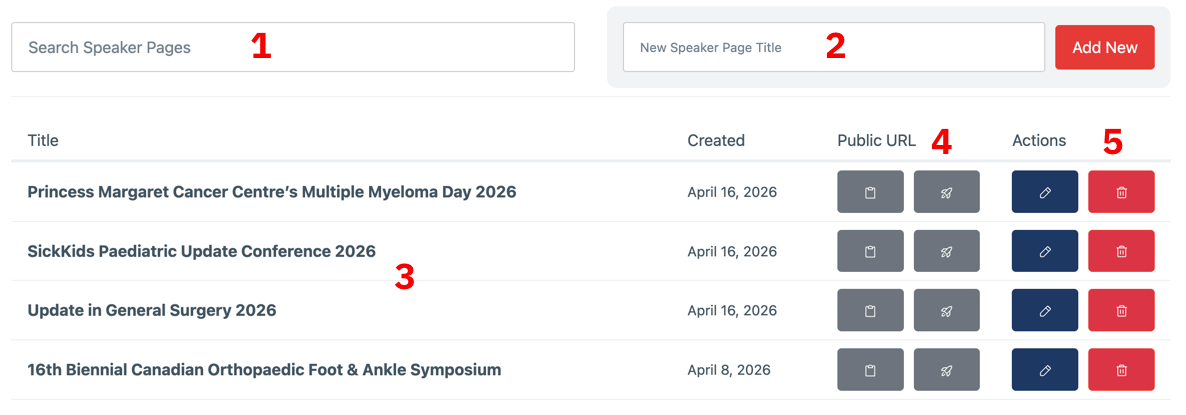
Create a new page (or duplicate): See the next section for more information on how to add a new speaker page, including how to duplicate an existing page.
List of current speaker pages
Links to public urls: The clipboard icon will copy the full url to your clipboard so you can paste it in an email. The rocket icon will open the page in a new tab in your browser.
Title for new speaker page: Once you have entered a title, click the "Add New" button. The new page will then appear in your list and you can edit from there.
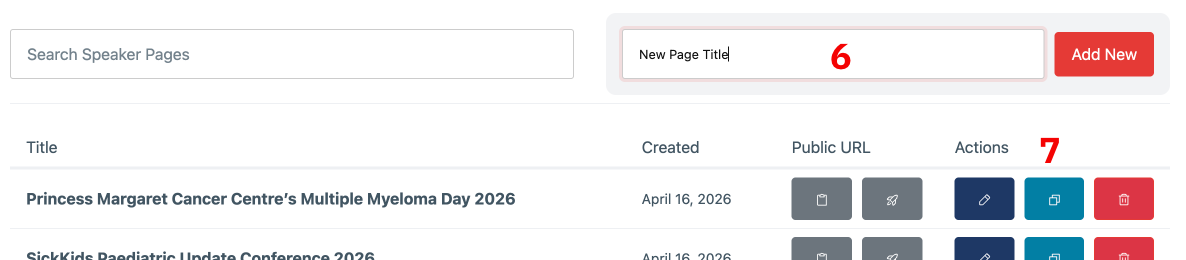
Duplicate existing speaker page and use new title: If you want to duplicate an existing page, you need to first add the title as though you were adding a new blank page. Once a text has been entered this will enable the duplicate button. Click this and an exact copy of the existing page will be created.